Mobile app now available

Download the bm333 App — The Best Betting Experience on Android and iOS, Right in Your Hands

Play on bm333 anywhere, anytime. Sports Betting, Live Casino, slots — all in one app.

50 MB
Small file size
4.8★
User Rating
24/7
Support

bm333

Enjoy the Best Betting Experience on the bm333 Mobile App
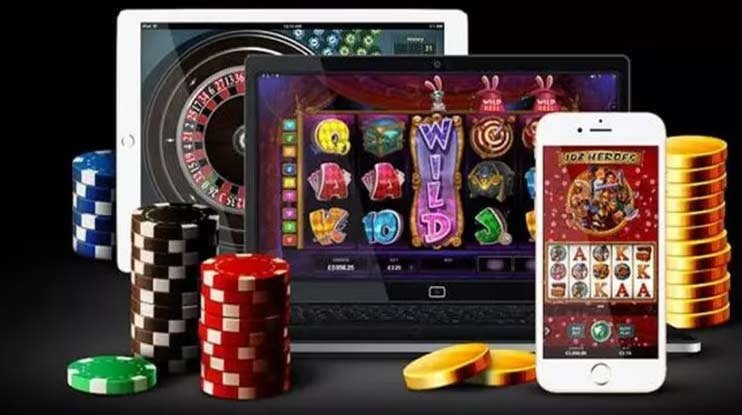
Which device are you downloading to?

Bm333 works great on both Android and iOS

🤖

Android App

Android 6.0+

You can download and install the bm333 Android APK directly — no Google Play Store needed, so there's no extra hassle.

  • Android 6.0 or above
  • Minimum 2 GB RAM required
  • Only 48 MB file size
  • Auto-update feature
  • Dark mode support
  • With Bangla interface
Android APK Download
🍎

IOS App

iOS 13.0+

The bm333 iOS app runs exceptionally smoothly on both iPhone and iPad. Graphics look sharper on Retina displays and touch response is noticeably faster.

  • iOS 13.0 or above
  • Supports both iPhone and iPad
  • Only 52 MB file size
  • Face ID and Touch ID login
  • Push Notification support
  • Retina display optimized
iOS App Download
How to install bm333 on Android?

Many Android users hit a small snag on their first APK install because the phone's default settings block apps from unknown sources. With bm333, though, it's straightforward — just a few quick steps and you're done.

1
Download the APK file

Tap the "Download Android APK" button above. The official bm333 APK file will begin downloading to your phone. Wait for the download to finish.

2
Enable unknown sources

Go to Settings → Security → Unknown Sources on your phone and enable it. Alternatively, when you try to open the APK, your phone will prompt you for permission — just tap "Allow".

3
Open and install the APK

Open the bm333 APK file from your Downloads folder and tap "Install". Installation completes in under 30 seconds.

4
Log in or Register

Once installation is complete, open the app. New users can register, while existing users can log in directly and start betting.

Warning

Only download the APK from the official bm333 site. APKs from third-party sites may not be safe.

bm333

Bm333 Android Installation — Quick and Easy

Safe Download

The bm333 APK is completely safe and free from malware. Every file is scanned before each update.

bm333

Bm333 iOS App — A Premium Experience on iPhone

How to install bm333 on iPhone?

For iOS users, installing bm333 is even simpler than on Android. Thanks to Apple's secure ecosystem, all apps are installed through the App Store or a dedicated profile.

1
Go to the download page

Open bm333.win/download in Safari on your iPhone or iPad and tap the "Download iOS App" button.

2
Allow profile installation

Once the download starts, iOS will prompt you to install a profile. Go to Settings → General → VPN & Device Management and trust the bm333 profile.

3
Complete the app installation

Once you trust the profile, the bm333 icon will appear on your home screen. Open the app, and if prompted to "Trust" it again on first launch, go ahead and confirm.

4
Account Login

Open the app and log in to your bm333 account. Setting up Face ID or Touch ID will make future logins even faster.

Tips

If you run into any issues during installation on iOS, try restarting your device and attempting again, or contact bm333's 24/7 support team.

What's included in the bm333 app?

The app offers far more than the browser — see where the difference lies

Faster Loading

Pages load 3x faster than in a browser

🔔
Live Notifications

Instant notifications for match updates and special offers

🎯
Live Betting

Real-time odds and betting during live matches

💳
Fast Payments

Instant deposits and withdrawals via bKash, Nagad, and Rocket

🔒
Secure Login

Account access secured with biometrics and PIN

📺
Live Stream

Live stream selected matches directly in the app

App vs. Browser — Which is Better?

A lot of people wonder why they'd bother downloading a separate app when they can just play in the browser. The truth is, there are some key differences between the bm333 app and the browser version that make for a completely different experience.

First, the app delivers live notifications — you get instant alerts on your phone when a match starts, odds change, or a special promotion goes live. This isn't possible in a browser. Second, the app loads significantly faster, which matters most during live betting when every second counts.

Features Bm333 App Browser
Live Notifications
Loading Speed Extremely fast Medium
Biometric Login
Offline caching
Live Streaming Limited
Data usage Low More
VIP Dashboard
Payment Options Full Full
bm333

Bm333 App — Far More Convenient Than a Browser

Download Now

Once the app is installed, betting on bm333 becomes easier and more enjoyable.

Register
bm333 Mobile App — Why Is It the Top Choice for Bettors in Bangladesh?

Mobile internet usage in Bangladesh keeps growing, and most people now prefer doing everything on their smartphones rather than a laptop or desktop. bm333 understands this reality, which is why the mobile app has been built with top priority.

The bm333 app interface is designed with Bangladeshi users in mind. It offers full Bengali language support, local payment methods — bKash, Nagad, Rocket — and customer support in Bengali.

The app is intentionally kept lightweight so it performs well even on 3G or weak network connections. Enabling low-bandwidth mode reduces data usage further without compromising your betting experience.

  • Fully Bangla language interface
  • Deposits and withdrawals via bKash, Nagad, and Rocket
  • Low-bandwidth mode — works even on a weak connection
  • cricket, football, kabaddi, and 30+ sports
  • Live Casino and slots fully supported
  • 24/7 live chat support in Bangla
  • New updates and features added every week
  • Fully secure transactions with SSL encryption
  • VIP Dashboard — track your points and cashback
  • Use the same account across multiple devices
System Requirements

Before installing the bm333 app, make sure your device meets these requirements

Android Requirements
  • Android 6.0 (Marshmallow) or higher
  • Minimum 2 GB RAM
  • 48 MB free storage
  • Internet connection (3G/4G/WiFi)
  • Allow installation from unknown sources
iOS Requirements
  • iOS 13.0 or higher
  • iPhone 6s or later
  • 52 MB free storage
  • Internet connection (3G/4G/WiFi)
  • iPad iOS 13+ supported
FAQs

Most frequently asked questions about the bm333 download

Yes, the bm333 app is completely free to download and install. Both the Android and iOS versions are free, with no charges for downloading or for any future updates.

The APK downloaded from the official bm333 site is completely safe. Before every release, the file is scanned with multiple antivirus tools. That said, we strongly advise against downloading the APK from any third-party sites.

If you already have a bm333 account, just log in to the app using your existing username and password. New users can register directly within the app — no need to visit the website separately.

The bm333 app runs on Android 6.0 and above. If your phone is running an older version, the app may not work correctly. In that case, you can still access bm333 through your browser.

When a new update is available on Android, you'll get a notification directly in the app. Just tap the "Update" button and the latest version will download and install automatically. On iOS, updates are available through the App Store.

Yes, your bm333 account can be used across multiple devices. You can stay logged in on an Android phone, iPhone, and laptop at the same time. However, placing bets from multiple devices simultaneously may cause session conflicts.
Responsible Betting

Download the bm333 app and enjoy betting responsibly — always play within your means. This platform is not intended for anyone under 18. Learn more at our Responsible Gaming View page.

বাংলা